StickyNotes

StickyNotes

Home  ›  Desktop  ›  Other
DOWNLOAD 272.21 KB
3  (3 votes)
1.8
This program received 3 awards
Questions & answers
Wiki
Suggest a correction

Video tutorial & screenshots

  • Options Menu
  • Main Window
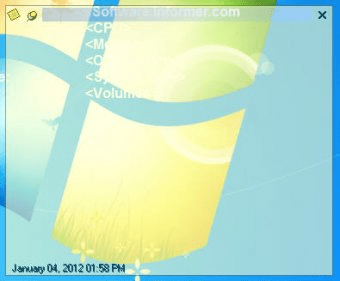
  • Note View

Editorial review

Comments

Tyler Vidd Senior editor

Sticky Notes is an easy-to-use application that allows you to write down any text in a window and stick it to your desktop. A note about any activity that might require your attention in the close future can be jot down with the help of Sticky Notes.

This small program can hold an unlimited number of notes.
You can create a note with any phone number, fax number, appointments, tasks or any idea that might need to be taken care of in the future.

Every note you add with Sticky Notes can be resized into any dimension and can be positioned on the desktop anywhere you want. You can also hide notes in your taskbar. The program allows you to access your notes through the "search" feature.

Sticky Notes offers you the possibility of modifying the text fonts, colors or indent. You can also include hyperlinks in the notes, or set their transparency level to any desired value.

A great thing about this small application is its capability to retain the notes even after a system reboot. The notes remain on your desktop until you delete them.

Sticky Notes can be very helpful for active people who need a small and simple desktop reminder.

Pros

  • Customizable note size.
  • Low system resources usage.

Cons

  • None.

What's new in version 2.4

- Multilingual support.
- Unicode support.
- Category column to the search window. The category column will only be shown in the all notes summary.
- No more categories dialog. The category list appears immediately when 'Categories' is selected in the menu.
- Delete a note and an alarm by pressing the 'Delete' key in the Search window.
- Save a title when the 'enter' key is pressed.
- Option to open the Search window maximized.
- Option to disable the note's edit shortcuts (in some languages some of characters can be typed only by combination of Alt ...).
- Alarm to show at every reboot or application re-start.
- Save 'To be on top' setting.
- Enable CTRL-Y, CTRL-G to increase/decrease indent in a note.
 

Publisher's description

The Sticky Notes application allows you to create electronic sticky notes directly on your Windows desktop. The Sticky Notes are just like paper post-it notes for your computer. Jot down tasks, messages, ideas, appointments, phone numbers, birthdays in a note and stick it on the desktop.
A note can be positioned anywhere you wish, or hidden in your task bar, then searched and displayed later. Notes can be resized.
The note's contents can be formatted to include fonts, colors, transparency and hyperlinks. Once on screen, notes will remain where placed until closed, even through reboots.
Sticky Notes application is small and simple and all notes are kept in the text file. It does not use the registry.

Leave a comment


loading
Download Software Informer Client